ChronoSono
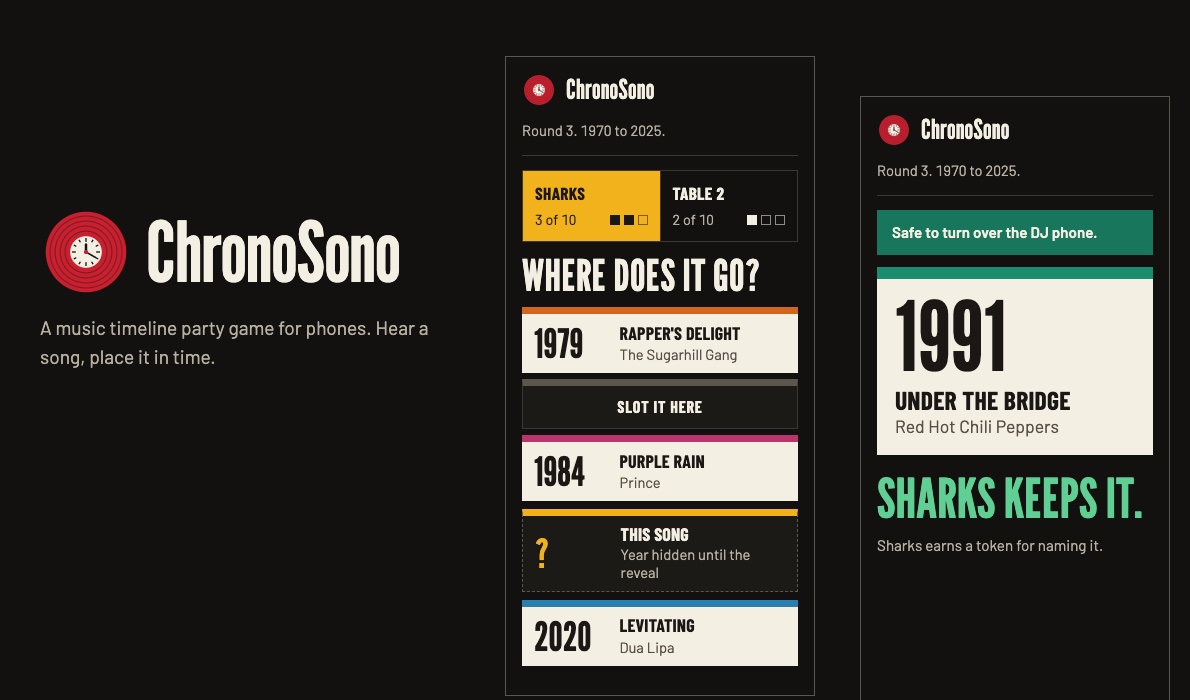
A music timeline party game for phones. Hear a song, then place it on your team's timeline by year. One phone plays the music face down, so nobody sees the answer.
What you need
- Three to five phones: one DJ phone with the Spotify app, plus one phone for each of two to four teams.
- A speaker, or the DJ phone turned up loud.
- Nothing to install on the team phones. Everyone opens garrettgcraig.com/chronosono.
How a game works
- One phone starts a game and gets a four-letter room code. Everyone else joins with the code or the invite link.
- The phone that started the game picks the years, the mode and the number of cards to win.
- Each round, someone taps Next song on the DJ phone and lays it face down. After two beeps, they tap the back of the screen and the song starts in Spotify. Nobody sees the title.
- The team whose turn it is slots the song into its timeline, between the years it thinks it falls. The other teams have 15 seconds to challenge with a token.
- The card flips on every team phone. Place it right and you keep it. The first team to the target number of cards wins.
Modes
- Original: place each song in the right spot. Name the title and artist out loud for a bonus token.
- Pro: the card only counts if you also name the title and artist.
- Expert: place it and call the exact year.
The songs
About 580 well-known songs from 1954 to today, each with the year it first came out (not the year of a remaster or compilation). You can narrow the years before a game, and an option evens out the decades so a wide range doesn't lean toward the busiest one.
How it stays hidden
The DJ phone opens each song as an ordinary Spotify link, the same as tapping a link a friend sent you, while it lies face down. The team phones never receive the song until the reveal. ChronoSono doesn't use the Spotify API, and it has no accounts and no ads.
Common questions
The song didn't play.
On the DJ phone, tap Song didn't start? Play it again. If a song won't play at all, a team phone can tap Song didn't play? to swap in a different one.
The DJ phone won't start the song when I tap it.
It has to lie flat, screen down. Standing on its edge doesn't count. Wait for the two beeps, then tap. On an iPhone, allow motion access when asked; if you declined, reload the page and allow it.
A phone died mid-game.
Open the game again with the room code and type your team's exact name to take its seat back.
Spotify shows the song on the DJ phone's lock screen.
Keep the DJ phone face down until the team phones say it's safe to turn it over.
Credits
Inspired by music timeline card games such as Hitster. Song years and Spotify track IDs come from public Billboard chart data, the TidyTuesday Spotify songs dataset, Wikidata and ListenBrainz. ChronoSono is a free, noncommercial project and is not affiliated with or endorsed by Spotify or Hitster.